Printer Model: Custom 550x550x550mm based on Voron Trident and VZBot designs
MCU / Printerboard: BTT Manta M8P, with EBB36 over CAN
Host / SBC: CB1
klippy.log: klippy(1).zip (1.8 MB)
Describe your issue:
I have received this error twice now at nearly the same point, but not the exact same point while printing the same file. I have used OrcaSlicer to slice it and used the Classic wall generator from the start which is what was discussed to be a solution here: MCU 'mcu' shutdown: Move queue overflow · Issue #8739 · OrcaSlicer/OrcaSlicer · GitHub
Initially I thought it was a CANBus connector issue, since I have had it in the past, but since it has occurred twice in a row now, once at 5h3m, once at 5h9m, that makes me feel this is not an electrical issue.
I can share the gcode file in question, not posting it here because new users are only allowed 2 links per post
The printer was idle and stored away for around 6 months, before I turned it on last week. I got 6 pcs of 13 hour prints done perfectly. Similar prints in scale and pattern but different design compared to the one I am facing problems with so I don’t understand what’s going wrong.
I noticed a low disk space warning in fluidd, and have only 720MB free, but as much I read the error concerns the MCU memory. However please let me know if this could be the problem, I just don’t want to waste more filament on failed attempts, it’s costing me dearly. Following is the neofetch output from CB1:
Shortly, your best bet is to simply update everything.
From the log, even if I see this error, I can’t guess why it happens. Because from a pure host perspective, it does not (all scheduled moves are <1024) (klipper/src/basecmd.c at master · Klipper3d/klipper · GitHub):
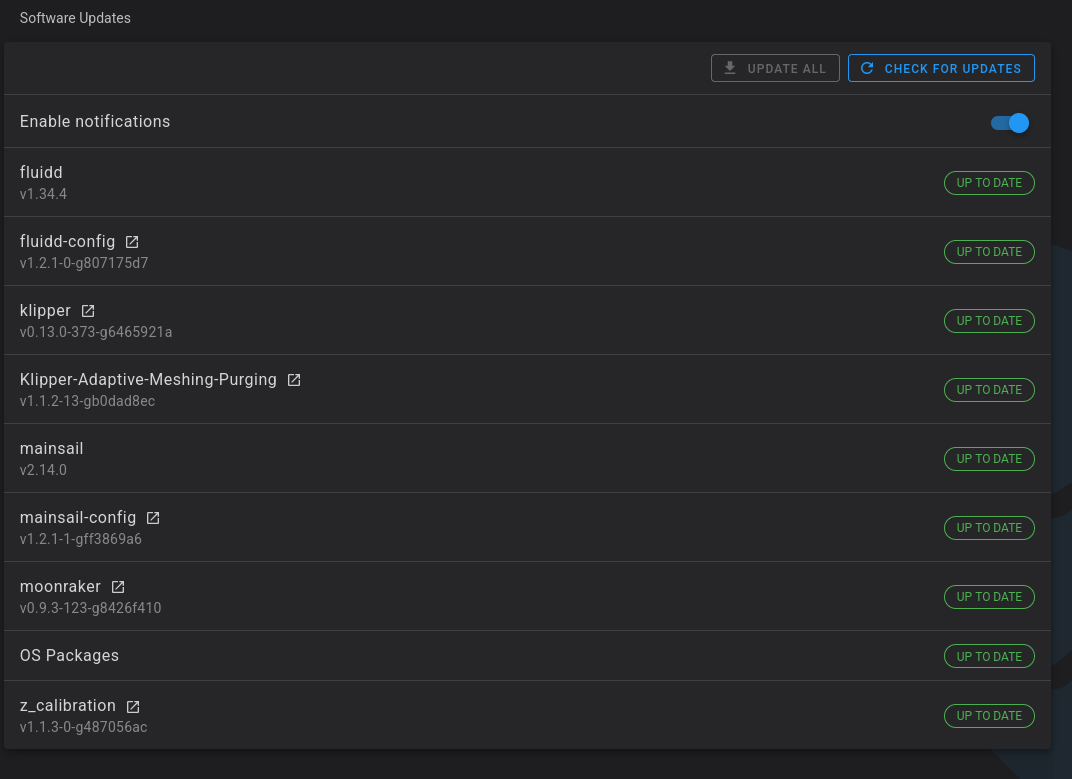
I have updated all my files, and fixed warnings related to the mobileraker and z_calibration.py
This is what fluidd shows now (it had warnings earlier but I didn’t ss it):
I have nearly run out of filament for the day, so I’ll be printing a slightly scaled down (90%) version of the model overnight. Also, I am using bambustudio this time to slice… Just trying everything I can at the moment to not fail again. Will update if it fails again in the morning
I had the same problem on my Sovol SV08. I found a root cause and a fix. The problem may be similar on other printers, so I’ve copied the explanation below. Hope it’s helpful!
For anybody else who gets stuck with this error I found the root cause and figured out how to fix it. The problem is Sovol’s PLR (power loss recovery) customization to Klipper. This is why moving to mainline Klipper fixes it, because that removes Sovol’s PLR customization. It’s pretty easy to fix on the Sovol firmware now that we know what’s causing it.
The problem is in ~/klipper/klippy/extras/gcode_move.py Lines 123-133. These lines write information to a file on the sd card synchronously on every single move command. That’s too slow, especially for python on a relatively constrained host. It causes moves to be processed too slowly when there’s a lot of short moves, the host fails to communicate with the mcu fast enough resulting in the move queue overflow error.
To fix it, ssh into the printer and simply comment out these lines in ~/klipper/klippy/extras/gcode_move.py
        if 'G' in params and 'Z' in params and 'X' in params and 'Y' in params and 'F' in params:
            if self.v_sd.cmd_from_sd:
                #commandline = gcmd.get_commandline()
                content = {
                    'commandline': gcmd.get_commandline(),
                    'Z': params['Z'],
                    'extrude_type': 'M82' if self.absolute_extrude else 'M83',
                    'e_extrude_abs': 0 #self.Coord(*self.move_position)[3]
                }
                with open("/home/sovol/sovol_plr_height", 'w') as height:
                    json.dump(content, height)
PLR will obviously no longer work, but it never worked well to begin with and failed every single time when the move queue overflow happened since it was the writing of plr info causing the failure. Hopefully Sovol fixes this in an official firmware update. It was hard to track down but in hindsight it’s a pretty obvious huge flaw in the PLR design – there’s no way that writing to a file synchronously with every move command is going to work reliably.
Now I can print as fast as I want with spiral z-hop and organic supports, no more problems!