Printer Model: Sovol SV05
MCU / Printerboard: BTT Octopus Pro V1.1 H723
Host / SBC: Raspberry Pi 3 Model A+
klippy.log/moonraker.log klippy.log (3.0 MB) moonraker.log (651.7 KB)
Describe your issue:
When the Octopus Pro is not connected via USB the Pi boots up fine as expected. It also boots up fine with only the webcam connected via USB.
However, when the Octopus Pro is connected via USB and power is turned on, the Pi fails to boot properly about 80% of the time, becoming unresponsive through the web-UI/SSH. When this happens, both the green and red LEDs on the Pi remain consistently lit, which may indicate an SD card failure?
Sometimes the Pi boots up fine 10 times until it fails.
I couldn’t properly print with it yet, but running the input shaper with an ADXL345 the Pi crashed at around 80% progress.
When the Pi couldn’t boot with the Octopus Pro connected, I unplugged the Octopus Pro and rebooted. This is when I downloaded the log files.
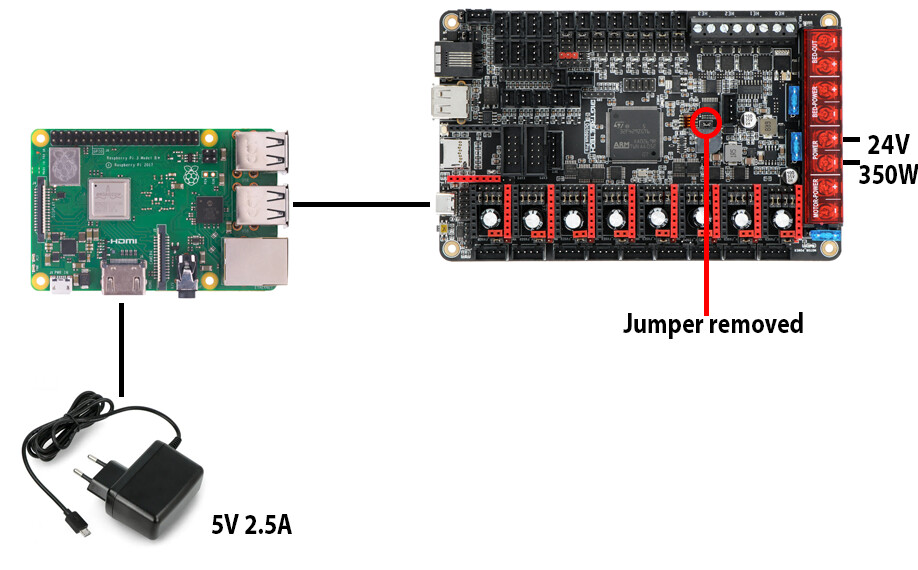
The Pi has its own power supply and the jumper allowing 5V power supply to the Octopus Pro through USB is removed.
This behavior might point to some hardware defect on the Octopus board, but diagnosing this probably is difficult.
The first thing I would try is connecting a regular screen to the RPi so that you are able to watch the boot process. If it fails with the connected Octopus right from the start (i.e. no boot process output) then you are probably out of luck
Huh, the output on the screen suggests that the RPi isn’t actually crashing?!
The boot process looks perfectly fine and the text cursor continues blinking throughout, even when the RPi appears to have crashed.
I have another RPi and a spare microSD card lying around so I might as well try a fresh install on that just to rule out the possibility of the RPi or the software being the issue.
The rPi is powered by a 5V 2.5A supply. I tried various short USB-C cables to connect it to the Octopus Pro, but unfortunately, none made a difference.
The problems started after adding the Octopus Pro. Before that, everything worked fine (using a Creality 4.2.7 board).
The other rPi with a fresh install on a new microSD card also made no difference sadly, so I suspect it’s the Octopus Pro.
I don’t know what your skill level is, but could you try powering your rPi from the Octopus Pro?
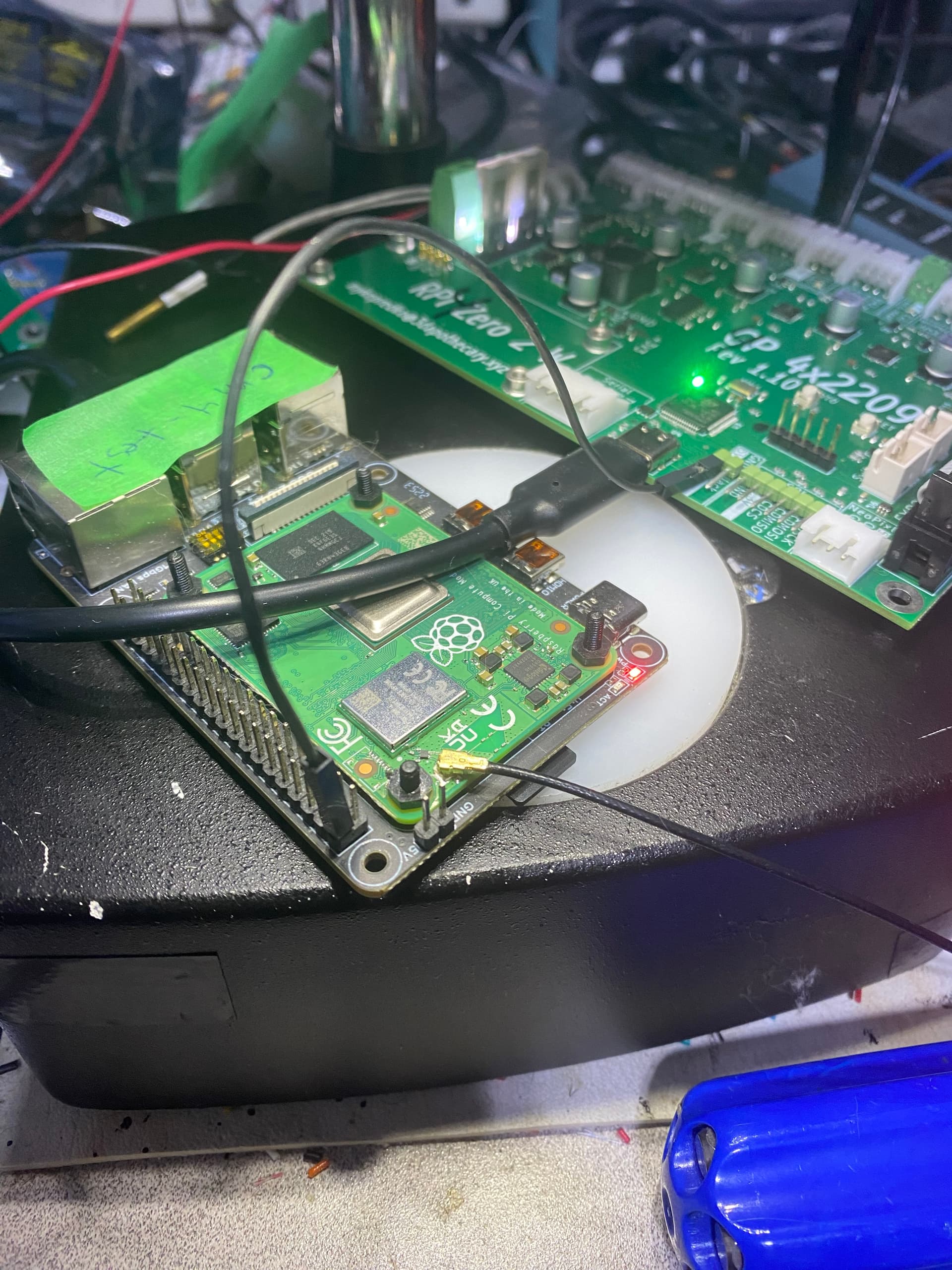
In the image below, I’m powering a CM4 from the main controller board by running a line from a 5V power output to Pin 2 of the BTT rPI 4B adapter (which the same as Pin 2 of the 40 pin rPi adapter). You will need 22 AWG wire (or thicker) and a couple of single Dupont connectors to make the power jumper.
It saves the cost and extra complexity of rPi power adapter, you only need one switch for power and will eliminate any grounding problems (which is what I suspect you have).
I only do it after I click “Shutdown” on Mainsail.
It’s worked fine on my two printers that I don’t have Mantas on for a couple of years now.
I have been using this approach of powering my host from the main controller since I first built my Voron 2.4 and, at the time, when you connected by serial, power was part of the connection (although you could add a separate 5V power supply).
Note that I have only a separate +5V line; The Ground return is through the USB Connector. Adding a separate Ground line will result in a Ground loop - which should be avoided.
I had the same problem with a Manta M8P board and a Raspberry Pi CM4 module. I solved it by rebuilding and re-flashing the firmware on the M8P board. The problem went away after that. Maybe that will work for you.
I’m still waiting for some thicker Dupont wires I ordered, as the ones I had lying around gave me undervoltage warnings on the RPi.
Interestingly, booting up with the previous RPi power supply now works fine about 90% of the time, and I’ve done a couple of prints, each over 2 hours long, without any issues. Reflashing might have helped improve the situation even further, but given how random the issue has been, I’m hopeful that the new Dupont connectors will fully resolve it.