Basic Information:
Printer Model: BTT SP5
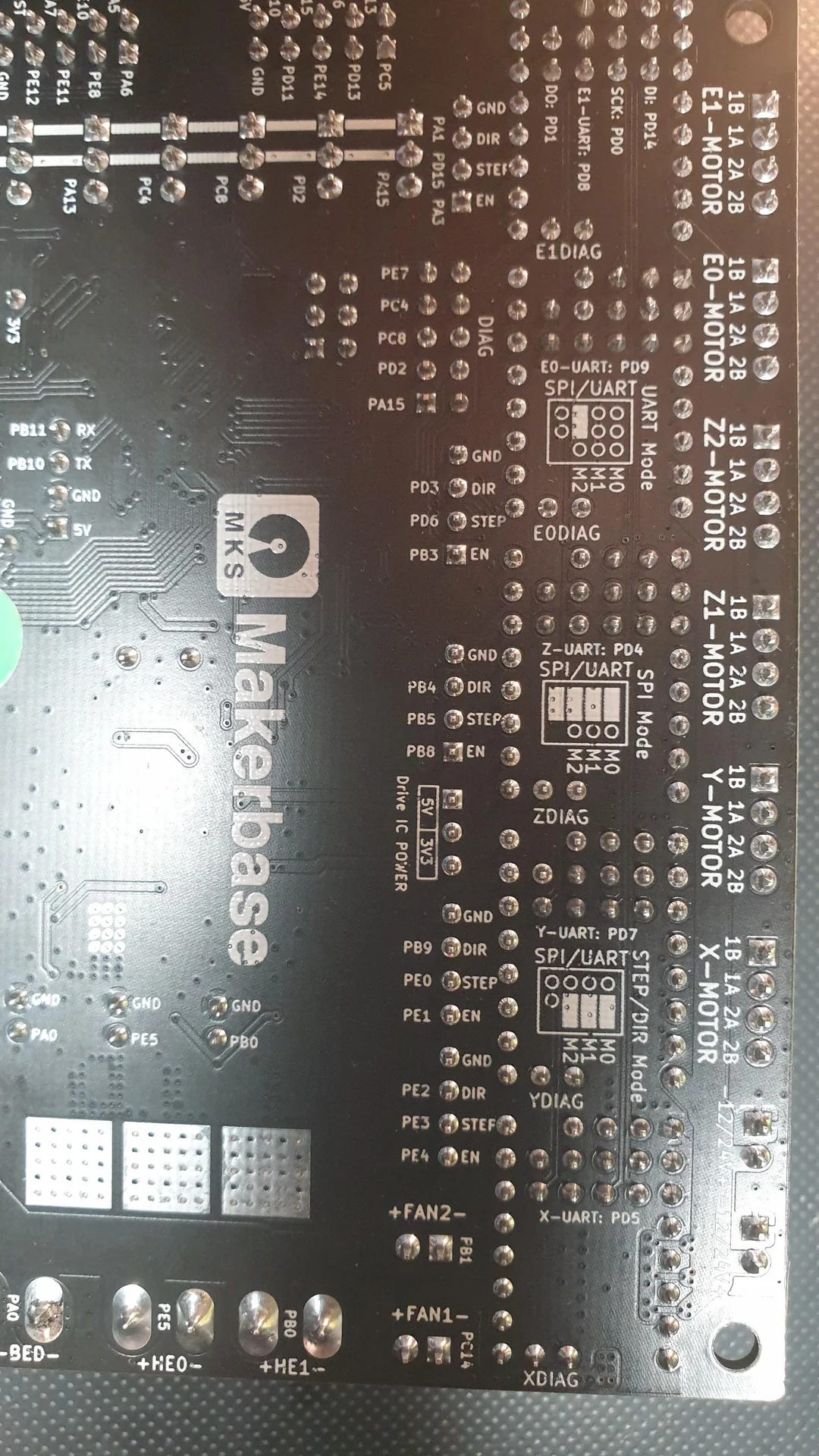
MCU / Printerboard:MKS Robin Nano V3.1
Host / SBC RPI
klippy.log
printer.zip (2.8 KB)
klippy.zip (145.3 KB)
Fill out above information and in all cases attach your klippy.log file (use zip to compress it, if too big). Pasting your printer.cfg is not needed
Be sure to check our “Knowledge Base” Category first. Most relevant items, e.g. error messages, are covered there
Describe your issue:
“Unable to write tmc spi ‘stepper_x’ register GLOBALSCALER”
My Config
Printer board: MKS Robin Nano V3.1, Stepper drivers TMC5160, Motors LDO-42STH48-2804AC-R
Worked fine with TMC2209 in UART mode
Changed from TMC2209 on X and Y stepper drivers to TMC5160

When I had no problems:
[tmc2209 stepper_x] # uart
uart_pin: PD5
run_current: 1.4
hold_current: 0.5
stealthchop_threshold: 999999
interpolate: True
And now:
[tmc5160 stepper_x]
cs_pin: PD5
sense_resistor = 0.075
run_current: 1.0
spi_software_sclk_pin: PD0
spi_software_mosi_pin: PD14
spi_software_miso_pin: PD1
interpolate: false
Mailed Makerbase a week ago, no answer!
What am I missing?
Please help, I can´t be the only one with Robin Nano v3.1 nd TMC5160!