Fill out above information andin all cases attach yourklippy.logfile (use zip to compress it, if too big). Pasting yourprinter.cfgis not needed Be sure to check our “Knowledge Base” Category first. Most relevant items, e.g. error messages, are covered there
Describe your issue:
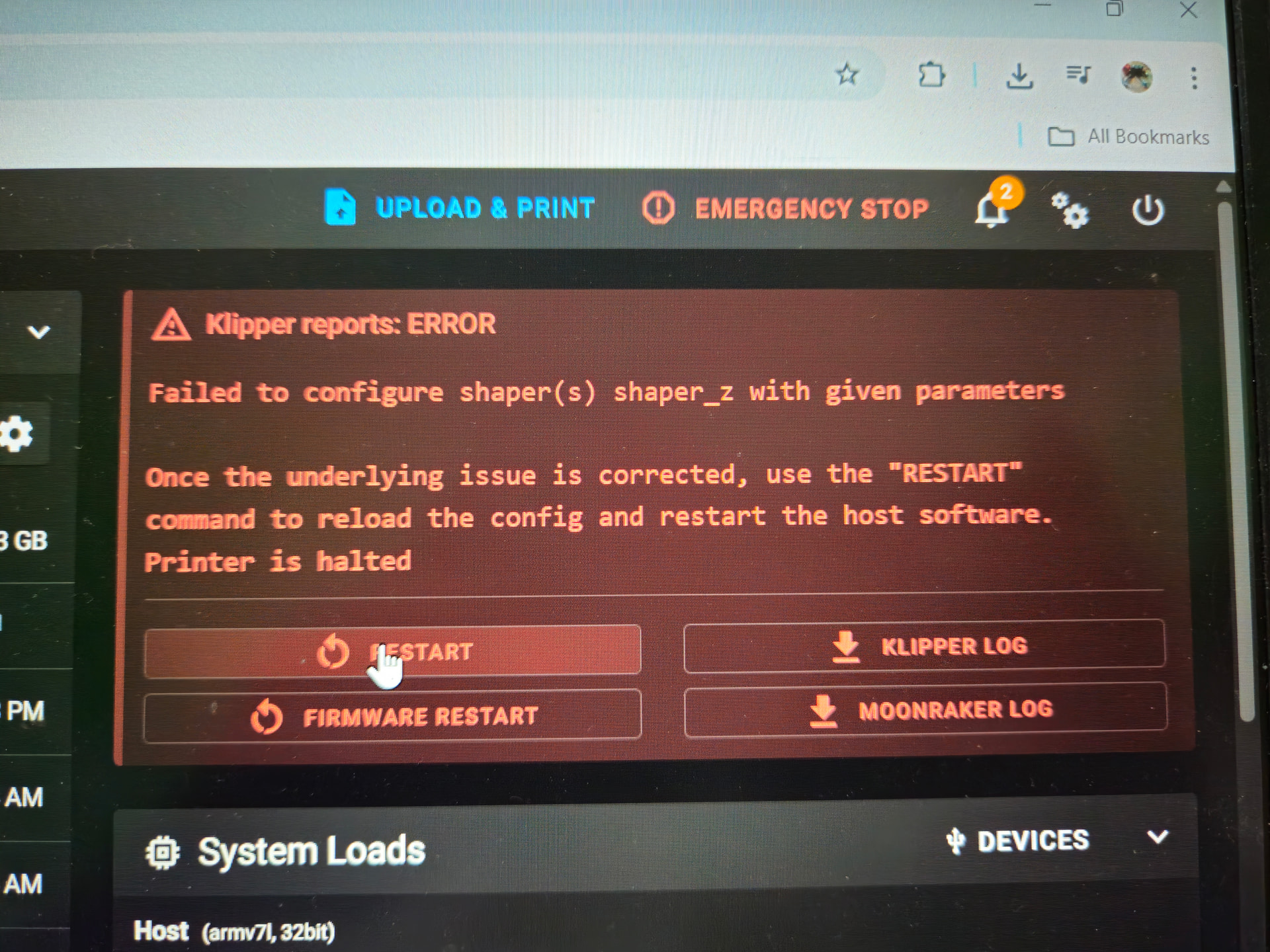
did a shaper_calibrate command in console. everything worked well but when did save_config error shows as ‘‘failed to configure shaper(s) shaper_z with given parameters’’. i also tried to manually put [input_shaper]
shaper_type_x: zv
shaper_frequency_x: 61.4
shaper_type_y: mzv
shaper_freq_y: 47.2
still same error shows.
removing the input shaper config removes the error.
But, in cases like this, the most likely problem is that you’ve broken up your printer.cfg into separate files and information required for the SAVE_CONFIG is in an included file and not in hte mainline printer.cfg.
Yeah, everything in ebb36.cfg needs to be in printer.cfg.
What’s KAMP_Settings.cfg? I suspect that needs to be in printer.cfg as well.
Now, where did sb led.cfg come from? I’m not sure about the space character in the filename and if Klipper/Jinja will handle that appropriately.
I expect that once you move the contents of ebb36.cfg into printer.cfg you’ll be able to save the parameters but I’d like more information about the other two .cfg files.
did that too but same problem persist. i think the issue is different. something related to shaper’s z axis though i only did shaper callibrate for x nd y axis. input shaper used to work before on my printer but when i reinstalled my printer firmware to latest version, it threw out this error.
For me the configs look fine and the content of ebb36.cfg and others is properly included in printer.cfg.
On github I see that @dmbutyugin changed the resonance_tester.py to allow Z input shaping.
Maybe those Z parameters are now mandatory or that is a bug?
However the documentation already lists the Z parameters:
So I guess you need to at least define those parameters with 0 or something like that.
The used Klipper version is: v0.13.0-375-gba79d72fb
At first glance it does not look like your config has any problems. Perhaps when you pulled a Klipper update something got borked. You can try running on your Pi
rm ~/klipper/klippy/chelper/*.so
and restart the printer. This will rebuild the C part of Klipper, and perhaps this get the issue fixed. And at least resonance_tester has nothing to do with it.