Is the laptop the device where you start prints in Mainsail?
If yes, some questions:
Does it have a free USB port?
What kind of connector (USB-A, USB-C)
Neither am I. Maybe @arksine is kind enough to make a statement here. Or, you could open an issue here GitHub · Where software is built and ask for help respectively information.
That is Moonraker attempting to fetch announcements from Moonlight. It looks like DNS was redirecting the request to the wrong location which resulted in the cert verification error. From glancing at the thread this is likely a regional issue, and it seems the OP corrected this with a VPN.
As for Klippy restarting, I dont see any relationship in the timing with the SSL errors and Klippy restarts. There are two restarts in the log, one at 1:17:34 and one at 3:17:14. The SSL errors don’t start until 1:47. Moonlight checks every 30 minutes, so the errors continue on that interval until 3:17:22, which is after that second Klippy restart.
FWIW, I have a device with a BTT-CB1 and the wifi on it is unusable. Either due to flaky hardware or flaky software, I have to connect via ethernet for a stable experience.
Moonlight is a github repo that generates RSS feeds from specifically tagged “issues” for registered projects. Projects like Klipper, Moonraker, Mainsail, Spoolman, etc can create these issues when they want to make an announcement. Moonraker will fetch updated RSS feeds, the feeds are then parsed and a frontend like Mainsail can present the results as notifications.
Armbian has invested a remarkable amount of effort into the H616 chips and the sunxi kernels. Since 6.6 and now especially with 6.12, they have resolved many issues, particularly around WiFi. Since then, these CPUs and their WiFi have been running stable in my experience.
That is good info, I didn’t know Armbian had a CB1 build. I have only ever used the images distributed by BTT. Perhaps the op will have luck trying the latest Armbian build.
Hello everyone
First of all, sorry for not answering for 9 days
I had a few works …
First of all, I am going to thank @hcet14 for answering all my questions and guiding me
secend
I am going to thank the community and developers, you guys are awesome
Now let’s go back to the topic
Yes, it has, but I hate using cables and connectors; the whole point of me installing Klipper was input shaping, pressure advance, and wireless control over wifi
hi @Arksine, thanks for the effort you put in finding a solution
I usually don’t use a VPN when I am using my 3d printer
(My VPN is open VPN app, and I bought some servers from the internet for it ( pretty common in my country ))
The thing is, it’s impossible to use Klipper with this VPN on
In my phone, if VPN is turned on, I can’t open Klipper IP and use 3d printer (in pc it doesn’t affect, but I usually don’t use it)
Hi @Sineos, thanks for you’re reply,
Is Armbian something like the main system os for CB1?
About Armbian:
I have to be honest – I’m a bit scared of switching.
The main reason is that my 3D printer is my only source of income (around 150– 200 per month), and I really, I mean really, need this money. If something goes wrong, I could lose my customers.
My concerns are:
I don’t know exactly which Armbian image I should choose for the CB1 (there are multiple versions on the website).
I don’t have much experience with Armbian installation, so I’m afraid of making mistakes.
Setting up the EBB36 and Klipper again is not easy for me.
Most importantly, I can’t afford downtime, since my business depends on this printer.
Another question:
Can I remove my current SD card from the CB1, insert a new one, and try Armbian safely?
If something goes wrong, can I simply put back the old SD card and continue as before?
Or is it more like a Windows PC, where BIOS/drivers might get faulty settings after swapping the HDD that has the os on it?
Your CB1 is running a Linux version that is specifically adapted for this type of hardware. What you are running now is provided by BTT, and honestly speaking, BTT should focus on nice hardware and leave OS and kernel development to people who know what they are doing.
Armbian also provides such Linux versions, and these folks really do know their stuff.
For SSH, you need to login as root and use the password 1234
Finish the setup process by creating a local user and setting their password
Run sudo apt update followed by sudo apt full-upgrade
Install Klipper and the rest with KIAUH
Get a backup of your current config and use a new SD card. You can simply return to your previous installation by switching SD cards.
No. Just make sure you always power down your devices properly. Cutting power or unclean shutdowns can severely damage SD cards. This has nothing to do with Armbian or not.
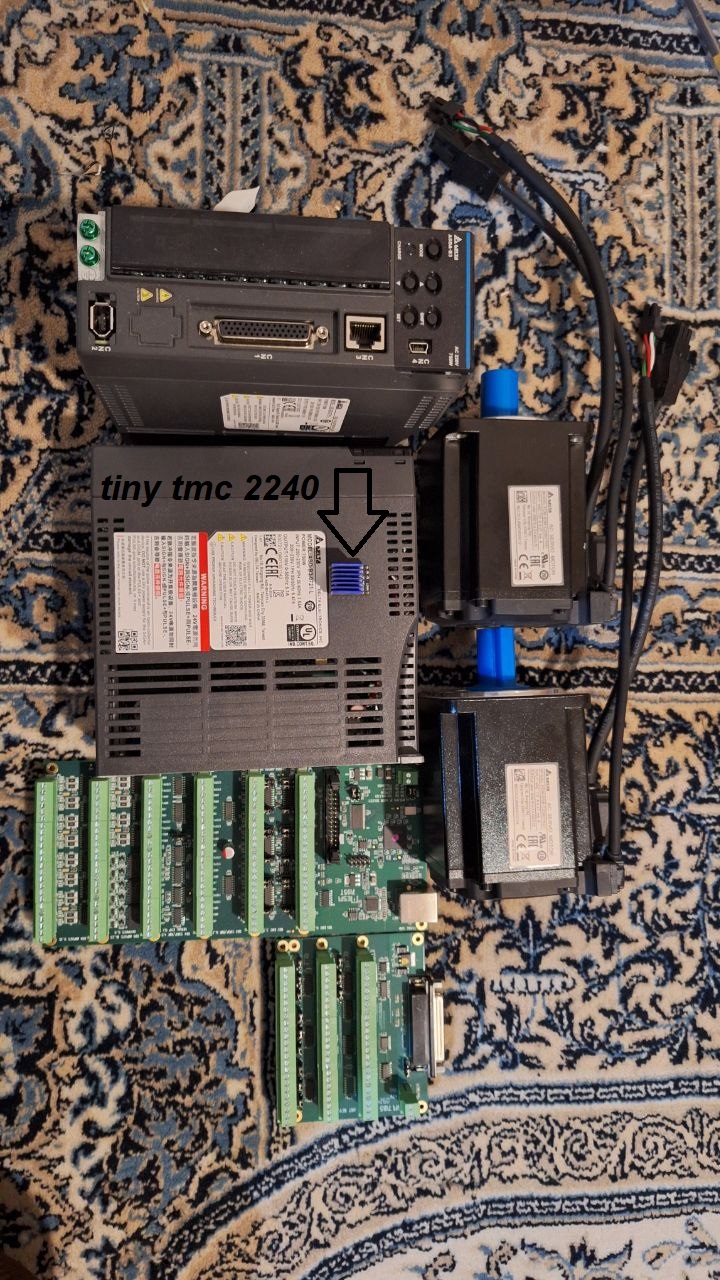
When the Mesa cards arrived, I started comparing them with Biqu boards, and honestly, the difference in quality is huge. The Mesa cards feel solid, new, and shiny, while the Biqu boards seem recycled — they even smell a bit like burnt nylon.
I have quite a few big boards (Octopus Pro, ERCEF, MMBCube, U2C, CB1, EBB36, and more), but most of them are somewhat weak in terms of build quality. I can’t comment much on the quality of the electronic components themselves, but at least the PCBs didn’t feel as solid.
Yes, they’re noob-friendly and reasonably well documented, but honestly, far from perfect.