Hi all,
I have implemented input shaper support for Z axis. This includes both input shaper itself, which can be configured as
[input_shaper]
shaper_type_z: mzv
shaper_freq_z: 50
and via SET_INPUT_SHAPER SHAPER_TYPE_Z=MZV SHAPER_FREQ_Z=50, and also resonance testing for it. The idea was circulating around way before, but the concern was how to tune it. However, it seems that the new resonance test that was introduced last year works OK for Z axis too. This allowed me to put this implementation together.
Now I’d like to invite interested testers to try it out. If the performance is good, I think it can be merged into the mainline Klipper. This new code is available in this branch and can be fetched via KIAUH by configuring it as
dmbutyugin/klipper,input-shaper-z
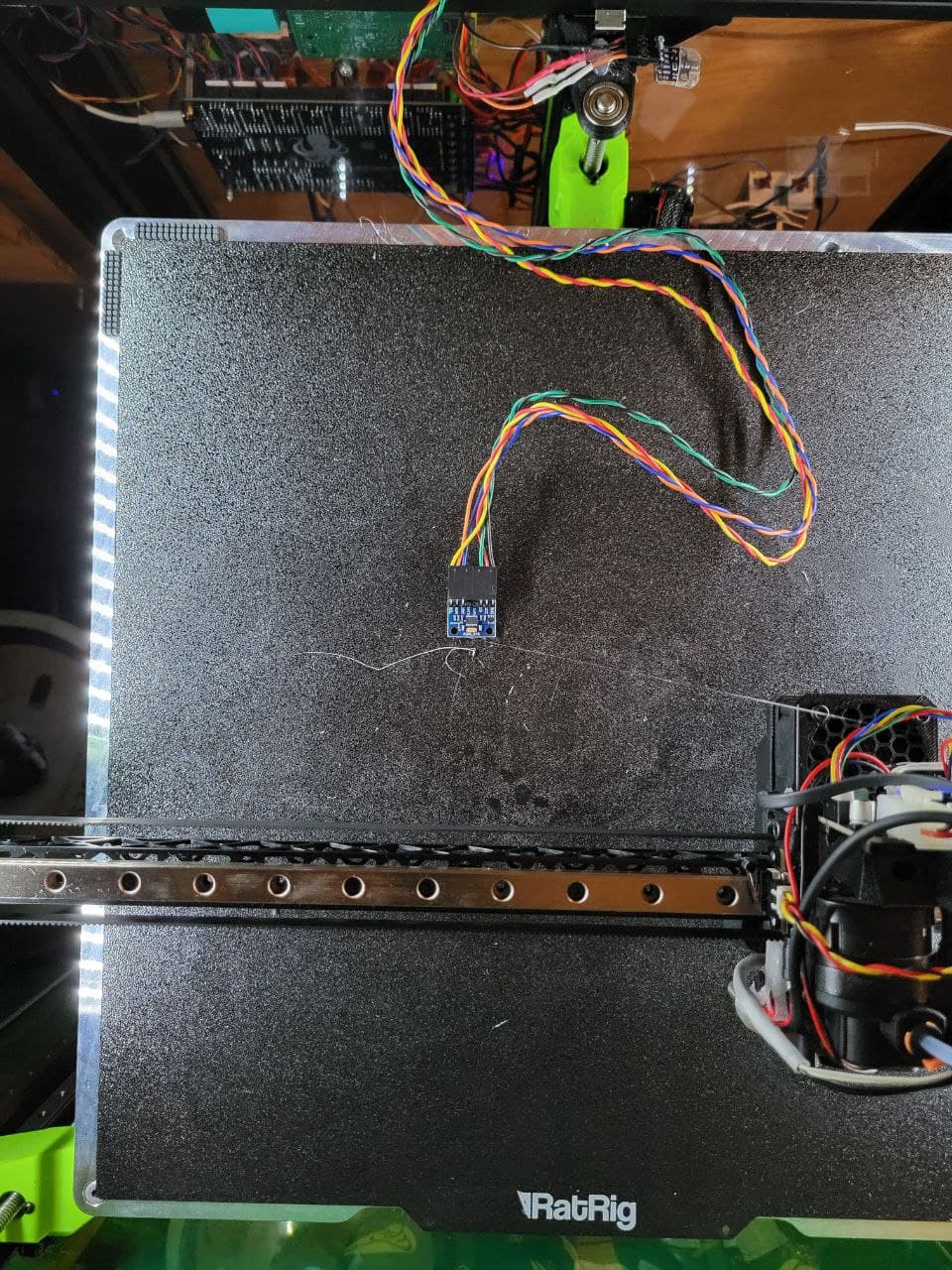
In order to test it, you’d need first to calibrate the input shaper. First, you’ll need to have an accelerometer mounted (and configured in printer.cfg) on the moving parts of Z axis - either the bed itself (if the bed moves over Z axis), or the toolhead (if the toolhead/gantry moves over Z). Make sure to add it to [resonance_tester] section:
[resonance_tester]
accel_chip_z: <accelerometer full chip name>
Then run a command
TEST_RESONANCES AXIS=Z OUTPUT=raw_data
And then run the calibration script as
~/klipper/scripts/calibrate_shaper.py /tmp/<filename>.csv -o ~/shaper_z.png
You can then put one of the recommendations into the input shaper config section. I would also appreciate if you could post the generated png and csv files here too to obtain some real-life data.
Notably, I tried to come up with default parameters for testing resonances over axis Z that should hopefully work for the majority of the users, but that requires testing in itself. The parameters for Z testing (with their current defaults) are
[resonance_tester]
max_freq_z: # 100 by default
accel_per_hz: # 12.5 by default
sweeping_accel_z: # 50 by default
accel_chip_z:  # no default; if unset, must be provided in CHIPS=<..> parameter
They can be overridden if necessary, but please try with the default settings first. They are much less aggressive compared to X/Y axes, and I’d like to understand whether they are enough or not.
Note that the default parameters require that maximum z velocity and accelerations are not smaller than certain values. If you have lower limits, TEST_RESONANCES will report an error and instruct to raise them. With the default test parameters you need to increase the limits to at least
[printer]
max_z_velocity: 20
max_z_accel: 1300
but only for the duration of the test, afterwards you can decrease them back if necessary. And if you use custom parameters, TEST_RESONANCES will provide the minimum required limits if necessary for your specific case.
Now, who could benefit from this new feature? Well, honestly, I do not expect that this will improve print quality by itself. However, users of delta printers or printers with flying gantry will be able to increase the max_z_accel and max_z_velocity and thus get faster Z movements (can be especially useful e.g. for toolchangers). Then, if you are using Z-hop (especially now that there is a ramping Z-hop feature available in many slicers), this new Z input shaper can improve the smoothness of Z axis operation, which you may be able to hear, and perhaps use more aggressive Z-hops that could result in less stringing.
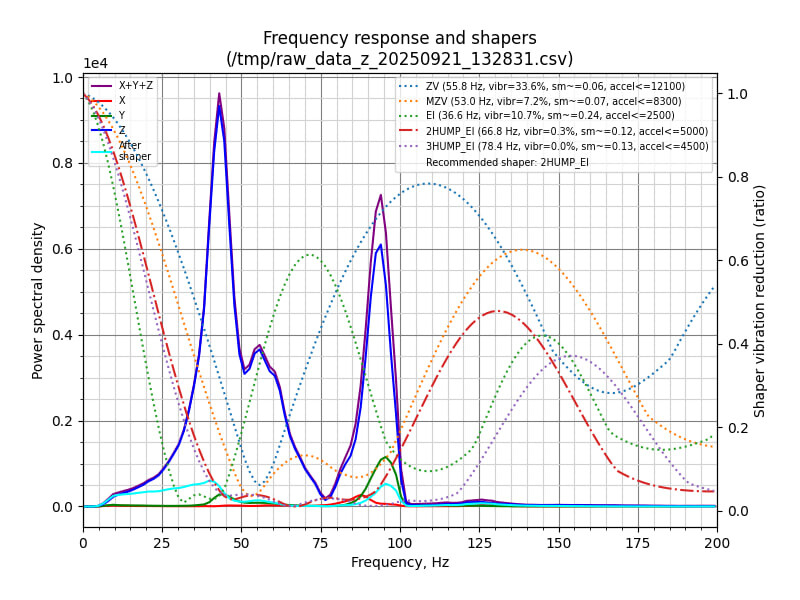
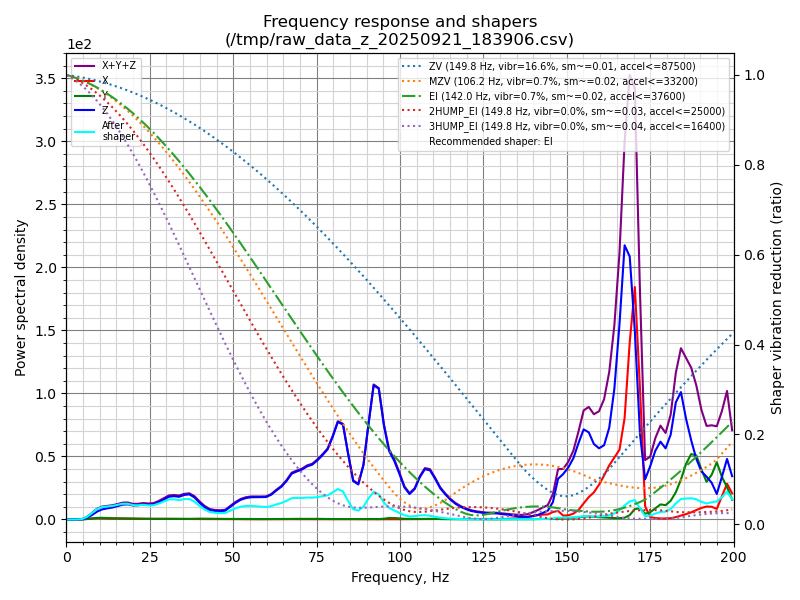
I have tested resonances on a couple of my printers with the following results (first - heavy moving bed, second - ender 3 with the direct drive extruder):


FWIW, I went with more aggressive than the ‘best’ recommendations by the script in both cases - MZV 49 Hz in the first case, and 2HUMP_EI 62 Hz in the second one.