On my 3-Z-motor printer running Klipper firmware, I perform both Z_TILT_ADJUST and BED_MESH_CALIBRATE during bed leveling. After calibration, I save the mesh using BED_MESH_PROFILE SAVE=default and load it at the start of every print using BED_MESH_PROFILE LOAD=default.
However, I’m facing a problem:
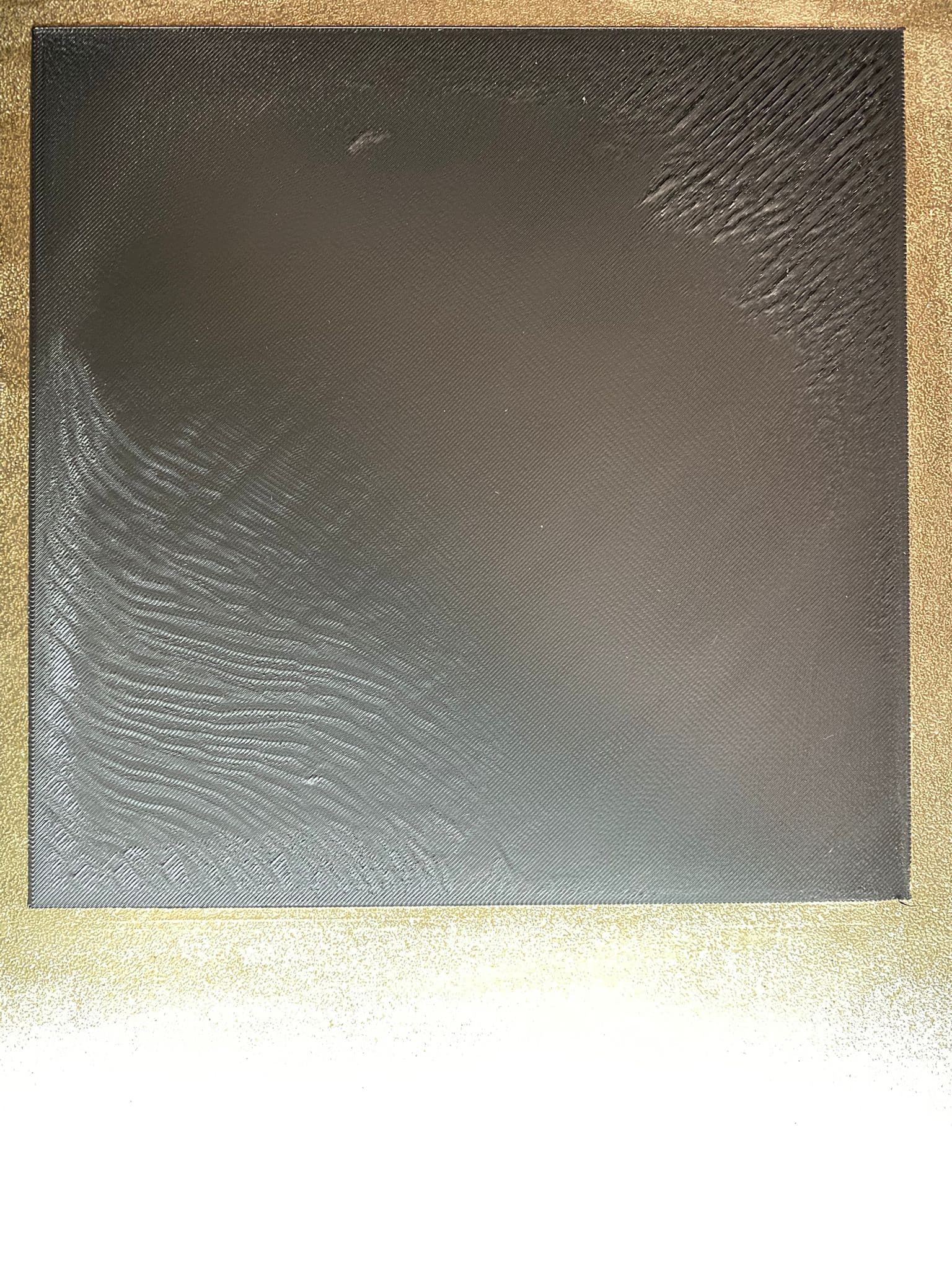
When printing a square part, the first layer is perfect on one side of the bed, but on the other side the filament doesn’t stick properly — it looks like the nozzle is too high in that area.
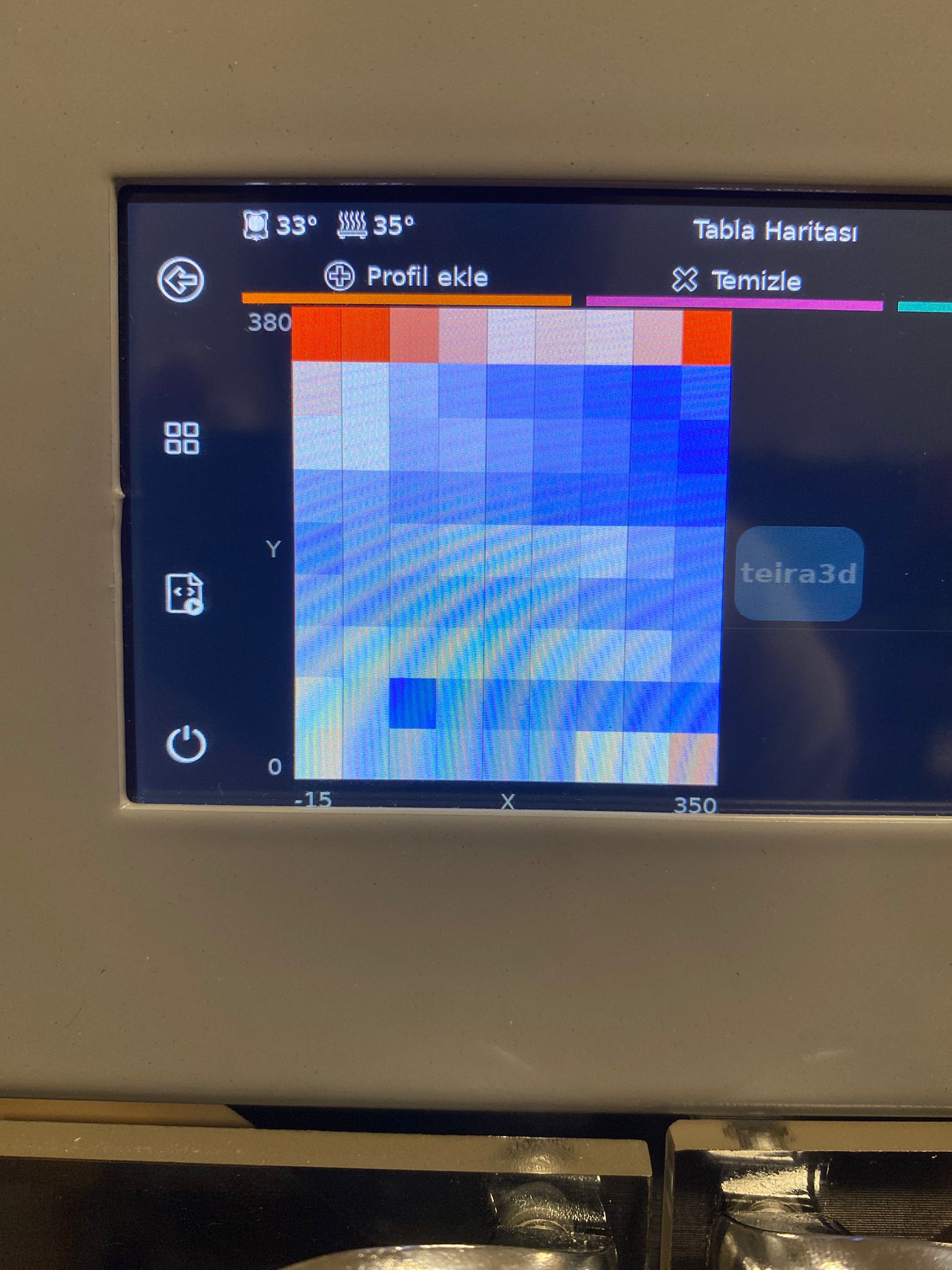
My mesh profile has a total range of about 0.43 mm (e.g., max +0.243 mm, min -0.189 mm).
fade_start is set to 1, fade_end is set to 10.
Mesh was taken with a heated bed, and Z-tilt appears to be working properly.
Despite all this, one side prints great while the other side fails to adhere properly, as if the nozzle is too far from the bed in certain regions, even with mesh leveling active.
Has anyone else experienced this? Would you recommend disabling mesh fade or applying regional Z-offset corrections?
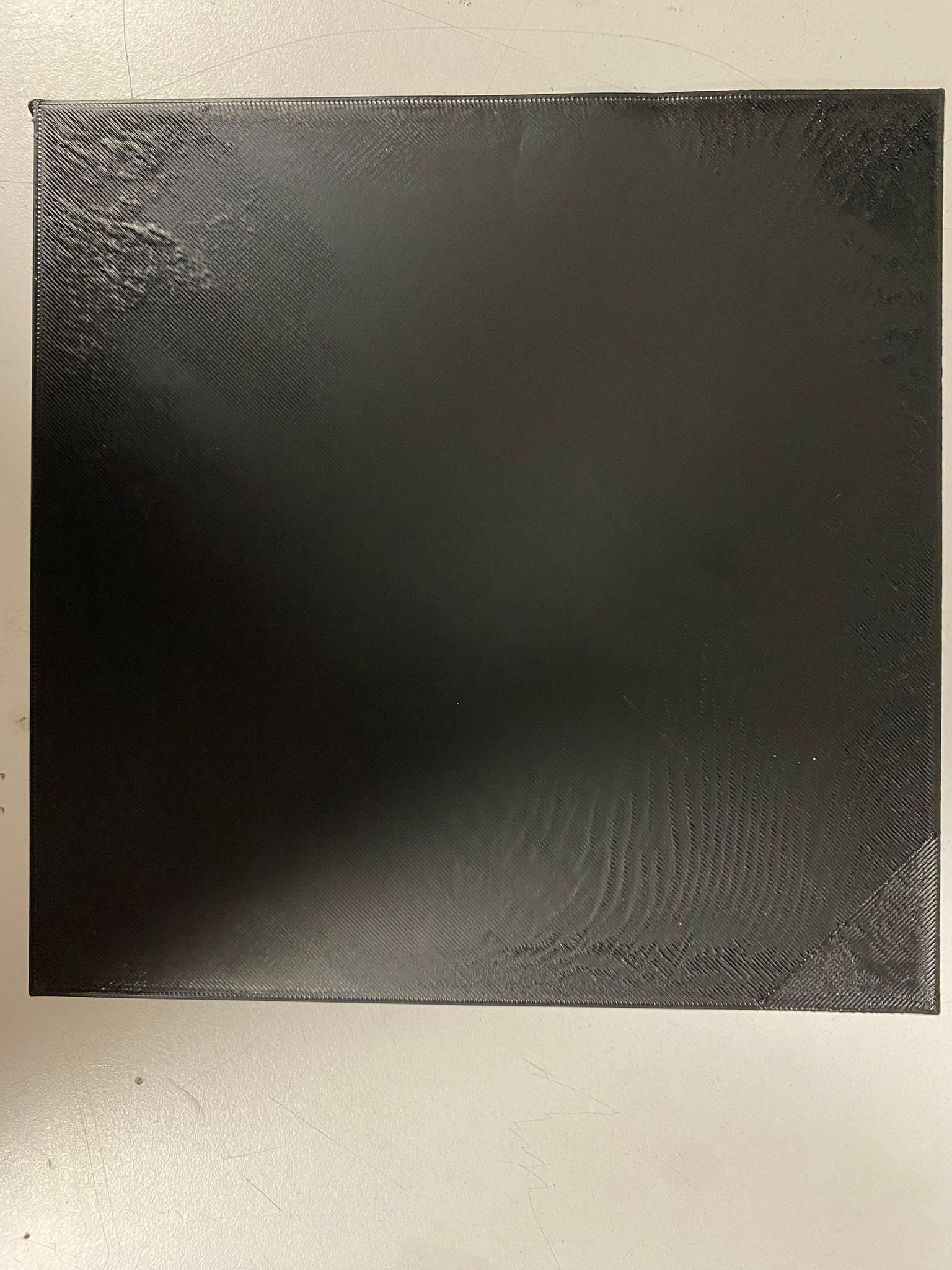
The area marked as number 1 in the photo corresponds to the front-right corner of the bed (X max, Y min). After performing a mini step adjustment (Z offset calibration) here, the print starts well in that area. However, in areas 2 and 3, the print quality deteriorates. In area 2, the nozzle is too close to the bed, even causing vibration during printing. In area 3, the nozzle is too far from the bed. Area 4 shows good print quality and looks fine.
What could be the cause of this issue, and how can I fix it? I would really appreciate your help.
 When printing a square part, the first layer is perfect on one side of the bed, but on the other side the filament doesn’t stick properly — it looks like the nozzle is too high in that area.